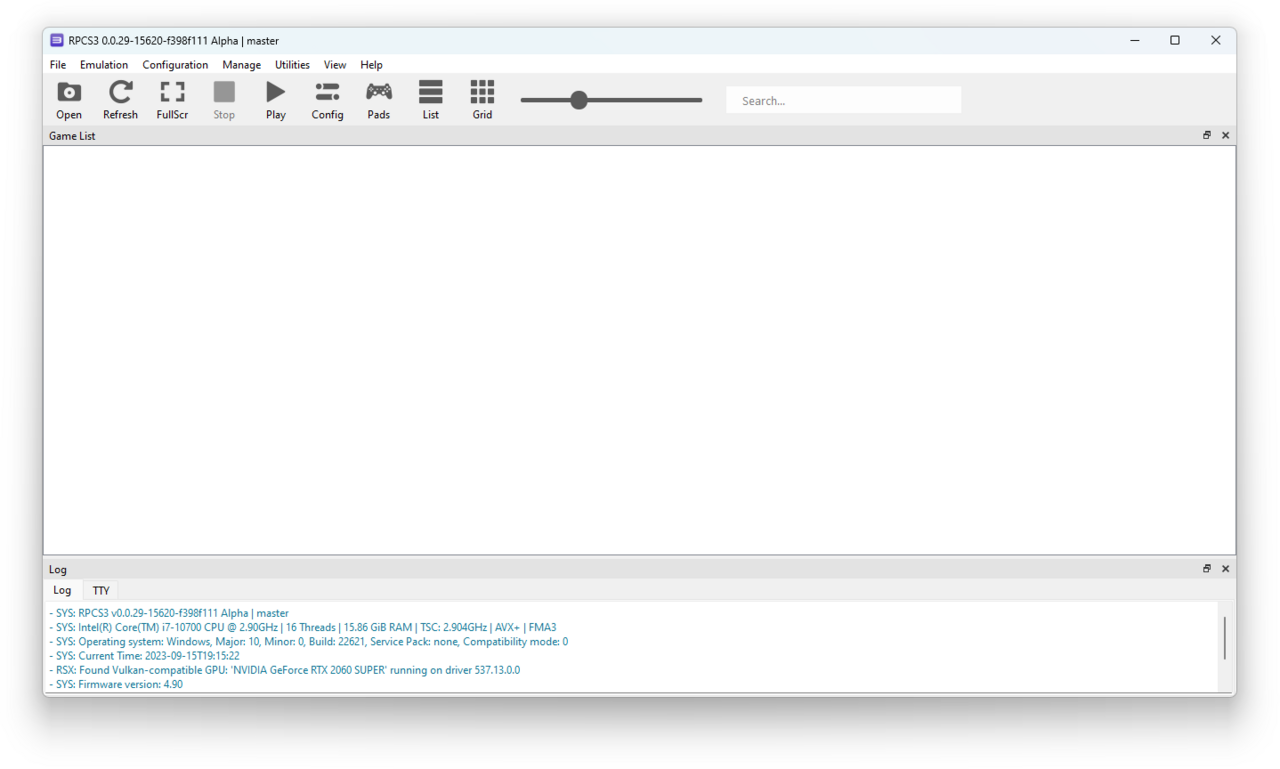
PS3 games on PC can now be played directly from physical discs, thanks to the latest update from RPCS3. This development allows gamers to enjoy their favorite titles on multiple operating systems.
Introduction to RPCS3
RPCS3 has emerged as a groundbreaking emulator for those looking to experience PS3 games on PC. This open-source software allows users to play their favorite PS3 titles directly from physical discs, marking a significant advancement in the world of emulation. With its compatibility extending beyond just Windows, RPCS3 also supports Linux and macOS, making it a versatile choice for gamers across different platforms.
One of the key features of RPCS3 is its ability to accurately replicate the PlayStation 3’s complex architecture, enabling high-quality graphics and smoother gameplay. As a result, players can enjoy enhanced visuals and performance compared to the original console experience. The community surrounding RPCS3 is continuously working on updates, ensuring that more titles become playable and that existing ones run even better.
Beyond just gaming, RPCS3 has a strong support network, including detailed guides and forums where users can share their experiences. For those interested in diving into the world of PS3 games on PC, RPCS3 stands out as a reliable and robust option.
How to Use RPCS3 for PS3 Games
Using RPCS3 to play PS3 games on PC has become a straightforward process,
Benefits of Playing PS3 Games on PC
Playing PS3 games on PC brings numerous benefits that enhance the gaming experience for enthusiasts. Here are some key advantages:
- Improved Graphics: Emulators like RPCS3 allow gamers to experience PS3 titles with enhanced graphics and resolutions, making the visuals crisper and more vibrant.
- Performance Optimizations: Many PC setups can outperform the original PS3 hardware, leading to smoother gameplay with higher frame rates and reduced load times.
- Modding Support: PC gaming often comes with extensive modding capabilities, allowing players to tweak gameplay mechanics or add new content to their favorite PS3 games.
- Accessibility: With the ability to play PS3 games on PC, including Linux and macOS, more gamers can access a broader library without needing the original console.
- Convenient Controls: Players have the flexibility to customize their controls using various input devices, from keyboards to multiple gaming controllers.
Overall, the advantages of using RPCS3 to play PS3 games on PC provide a compelling reason for gamers to explore this emulator.
Compatibility with Linux and macOS
The emergence of emulators has transformed the gaming landscape, allowing players to enjoy classic titles across various platforms. One of the most significant advancements is the compatibility of RPCS3, a leading PS3 emulator, with both Linux and macOS systems. This development enables a broader audience to experience PS3 games on PC, regardless of their preferred operating system.
RPCS3’s support for Linux and macOS means that gamers no longer have to be confined to Windows to relive their favorite PS3 titles. This cross-platform functionality enhances accessibility and encourages a diverse community of players. Here are some key points regarding this compatibility:
- Seamless Installation: Users can install RPCS3 on Linux and macOS with relative ease, following straightforward setup guides.
- Performance: The emulator runs efficiently on both systems, delivering impressive graphics and gameplay experiences comparable to native PS3.
- Community Support: A robust community exists for RPCS3, providing assistance and resources for troubleshooting any potential issues on these platforms.
With these advancements, playing PS3 games on PC is more accessible than ever, making it an exciting time for retro gaming enthusiasts.
User Experience and Performance
The user experience when playing PS3 games on PC using RPCS3 has significantly improved with recent updates. Players can now enjoy enhanced graphics and smoother gameplay, making the transition from console to PC more appealing than ever.
Several factors contribute to this enhanced performance:
- Graphics Enhancement: RPCS3 allows users to upscale textures and resolutions, offering a visually stunning experience compared to standard PS3 output.
- Customizable Settings: The emulator provides extensive options for tweaking performance parameters, enabling users to optimize their gaming experience based on their hardware capabilities.
- Save States: Players can take advantage of save states, allowing them to save and load their progress at any point in the game, which is particularly useful for challenging titles.
Moreover, the emulator’s compatibility with various controllers ensures that gamers can choose their preferred input method, making it easier to replicate the original PS3 gaming experience. Overall, the RPCS3 emulator is proving to be a game-changer for fans wanting to enjoy their favorite PS3 games on PC.
Future Updates for RPCS3
The developers of RPCS3 continue to enhance the emulator’s capabilities, promising a bright future for gamers looking to play PS3 games on PC. Recent updates have focused on improving compatibility and performance, ensuring that users can enjoy a seamless gaming experience. As the team works tirelessly to refine the software, they are dedicated to fixing bugs and optimizing the emulator for various hardware configurations.
One of the most exciting features in upcoming updates is the potential for broader support for physical disc play. This means that players will not only be able to enjoy their favorite titles digitally but also directly from their PS3 discs, unlocking a new level of convenience and nostalgia. With each new release, the community eagerly anticipates improvements in graphics, sound, and overall gameplay.
Additionally, developers are exploring enhanced support for various operating systems, which will allow even more players to access PS3 games on PC. As technology evolves, RPCS3 is committed to staying at the forefront of emulation, making it an essential tool for gaming enthusiasts worldwide.
via Wikimedia Commons